Mini Militia play online on pc
Mini Militia for PC – How to Download and Play on Windows 2026
Mini Militia for PC runs through an Android emulator on Windows 10, Windows 11, and macOS. There is no official PC version. The best emulators for Mini Militia in 2026 are BlueStacks 5 and LDPlayer 9 — both free, both easy to set up. This guide covers download, installation, controls setup, mod APK loading, and error fixes — step by step.
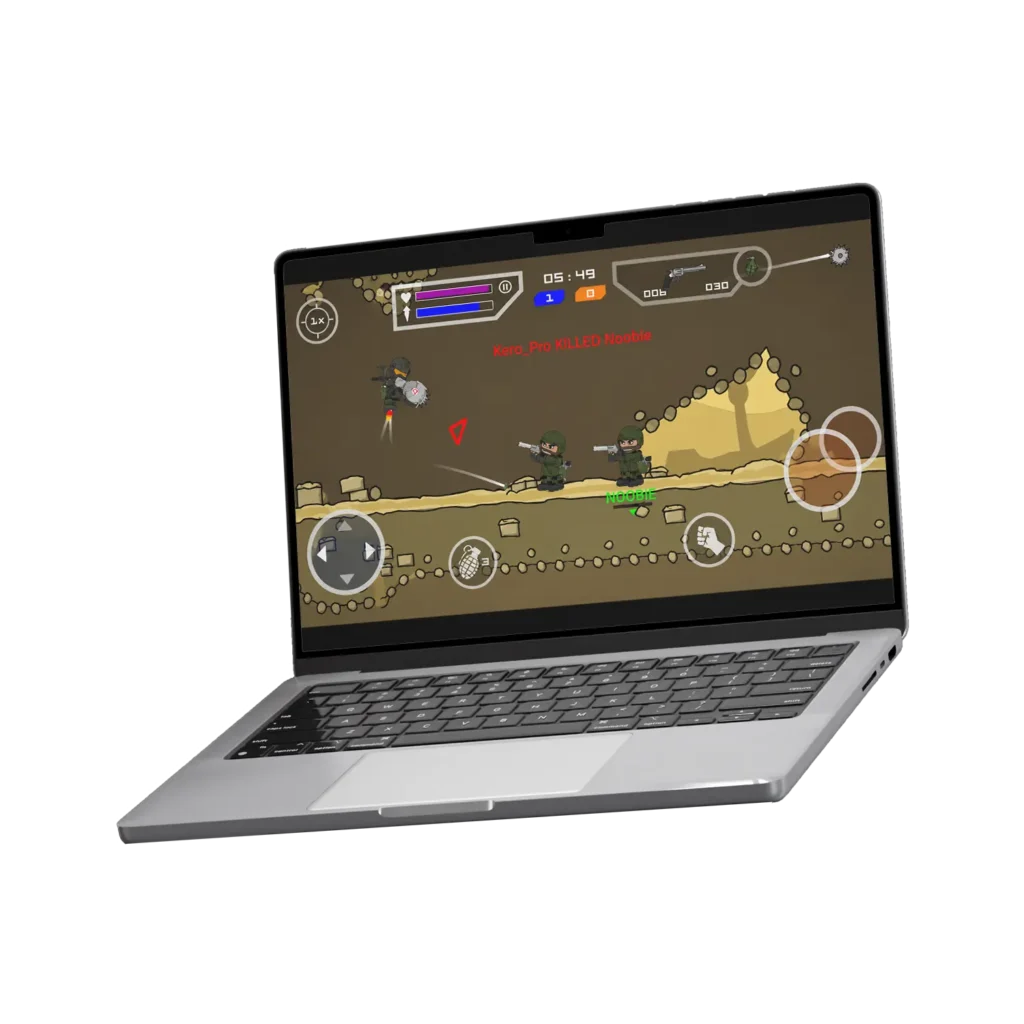
Why Play Mini Militia on PC or Laptop?
Most players find Mini Militia on phone perfectly fine. But there are real reasons why thousands search for the PC version every month:
- Mod APK testing — PC emulators make it easier to install, test, and switch between different Mini
- Militia mod APK versions without risking your phone’s storage or warranty.
- Bigger screen — Mini Militia’s 2D maps are designed for quick target tracking. On a 15-inch laptop or 24-inch monitor, you see more of the map and track enemies faster than on a 6-inch phone screen.
- Keyboard and mouse accuracy — Mouse aiming is more precise than a touchscreen joystick. Experienced PC players hit targets faster and more consistently — especially with sniper rifles and laser guns.
- No battery drain — Phone battery drops fast in online matches. On PC, you play as long as you want without watching the battery percentage.
- Larger LAN sessions — Running Mini Militia on a PC connected to a WiFi hotspot adds a full extra player slot. Great for classroom or dorm room LAN sessions where not everyone has a phone available.
- Play while phone is off — If your phone is charging, broken, or being used by someone else — PC is the backup option. All your progress syncs through your Miniclip account.
Mini Militia for PC

Mini Militia for PC
750 MB (BlueStacks Installer)
5.6.0
Windows 10 or up
Keyboard & Mouse Support
Appsomniacs LLC
BlueStacks 5 — Best for Mini Militia PC
BlueStacks 5 by BlueStacks Inc. is the most popular Android emulator globally and the top choice for Mini Militia on PC. It uses a hybrid x86 and ARM architecture that runs the Mini Militia APK natively without major performance loss.
BlueStacks supports keymapping you assign keyboard keys to touch areas on screen. For Mini Militia, this means WASD movement, mouse aiming, and a single key for jetpack. Once configured, the control feel is close to a standard PC shooter.
BlueStacks 5 requires Windows 10 or 11 and at least 4GB RAM. 8GB RAM gives noticeably smoother performance in online multiplayer matches where frame drops are common on minimum spec hardware.
LDPlayer 9 — Best Lightweight Option
LDPlayer 9 by XeTsoft is a lighter alternative to BlueStacks. It runs on Windows 7, 10, and 11 — making it the only major emulator that still supports Windows 7. If your PC has 2GB to 4GB RAM or runs an older Intel Core 2 Duo or AMD A-series processor, LDPlayer is the better choice over BlueStacks.
LDPlayer’s keymapping system is slightly less intuitive than BlueStacks but works well for Mini Militia. Setup time is around 8 minutes from download to first match.
Google Play Games PC (Beta) — Official Method
Google Play Games for PC is the official Google-backed emulation layer for Windows 10 and 11. It requires Windows 10 v2004 or later and an Intel or AMD processor with hardware virtualization enabled. Mini Militia is available through it but performance is less consistent than BlueStacks in 2026 — still in beta stage.
The advantage is full Google account integration — your Play Store library, purchases, and game progress sync automatically without additional configuration.
How to Download and Install Mini Militia on PC Using BlueStacks
This method works on Windows 10 and Windows 11. Total setup time: 10 to 15 minutes.
- Download BlueStacks 5 — Go to bluestacks.com and click Download BlueStacks 5. The installer file is approximately 750MB.
- Run the installer — Open the downloaded EXE file. Click Install. BlueStacks installs automatically — takes 3 to 5 minutes depending on your PC speed.
- Sign into Google Account — BlueStacks asks for a Google Account during first launch. Use any Gmail account to access the Play Store.
- Search for Mini Militia — Open the Play Store inside BlueStacks. Search ‘Mini Militia’ or ‘Doodle Army 2’. Install the official version.
- OR install Mini Militia APK directly — To install a mod APK, download the Mini Militia APK file to your PC. Drag and drop the APK file into the BlueStacks window. It installs automatically.
- Set up keymapping — Click the Keyboard icon on the BlueStacks toolbar. Assign WASD keys for the movement joystick and right mouse click for the aim joystick. Set Space for jetpack.
- Launch Mini Militia — Open Mini Militia from the BlueStacks home screen. All game modes — online, LAN, offline — are available immediately.
Windows 11 Note: BlueStacks 5 runs on Windows 11 without any additional settings. Enable Hardware Virtualization in BIOS if BlueStacks shows a performance warning on first launch.
How to Install Mini Militia on PC Using LDPlayer
Use this method if your PC has less than 4GB RAM or runs Windows 7. LDPlayer is lighter and more stable on older hardware.
- Download LDPlayer 9 — Go to ldplayer.net and download the LDPlayer installer. File size is around 350MB — smaller than BlueStacks.
- Install LDPlayer — Run the installer. Click Install and wait 3 to 4 minutes. LDPlayer installs its Android environment automatically.
- Open LDPlayer and sign in — Launch LDPlayer and sign into a Google account. Open the built-in Play Store.
- Install Mini Militia — Search ‘Doodle Army 2 Mini Militia’ in the Play Store and install. Or drag and drop a Mini Militia APK file directly into the LDPlayer window.
- Configure controls — Open the Keyboard Mapping tool in LDPlayer. Set movement joystick to WASD, aim to mouse movement, shoot to left mouse click, jetpack to Space bar.
- Adjust display settings — Go to LDPlayer settings and set resolution to 1280×720 at 60 FPS for the best Mini Militia performance on mid-range PCs.
- Launch and play — Open Mini Militia from the LDPlayer home screen. Joins online matches with real Android and iOS players.
Tip: If LDPlayer lags, go to Settings > Display and reduce FPS from 60 to 30. Mini Militia runs well at 30 FPS on older hardware.
Mini Militia PC Controls – Best Keymapping Setup
The default touch controls do not translate well to a PC keyboard without keymapping. Here is the recommended keymapping for Mini Militia on both BlueStacks and LDPlayer:
| Game Action | Recommended Key | Alternative Key | Notes |
|---|---|---|---|
| Move Left | A | Left Arrow | Left joystick left |
| Move Right | D | Right Arrow | Left joystick right |
| Jump / Up | W | Up Arrow | Left joystick up |
| Duck / Down | S | Down Arrow | Left joystick down |
| Aim | Mouse | N/A | Mouse gives precision aim |
| Shoot | Left Click | Z | Primary fire button |
| Jetpack | Space | J | Continuous flight |
| Weapon Switch | Q / E | Scroll | Switch weapons |
| Grenade | G | X | Throw grenade |
| Special Move | R | F | Special action |
| Pause / Menu | Esc | P | Open game menu |
| Voice Chat | V | Tab | Quick voice chat |
Save this keymapping profile in BlueStacks or LDPlayer under a custom name like ‘Mini Militia 2026’. The emulator loads it automatically every time you open the game.
How to Install Mini Militia Mod APK on PC
One of the biggest advantages of playing Mini Militia for PC is the ease of loading mod APK versions. On a phone, installing a mod APK requires navigating settings, enabling unknown sources, and finding the file in Downloads. On a PC emulator, it is a single drag-and-drop.
Install Mini Militia Mod APK on BlueStacks
- Download the mod APK: Download your chosen Mini Militia mod APK version to your PC desktop.
- Open BlueStacks: Launch BlueStacks. Do not open any app — stay on the home screen.
- Drag and drop: Drag the Mini Militia APK file from your PC desktop directly into the BlueStacks window. BlueStacks detects it and begins installation automatically.
- Confirm install: A popup asks to confirm installation. Tap Install. The mod APK installs in 20 to 40 seconds.
- Launch: Open Mini Militia from the BlueStacks app list. All mod features activate on first launch.
Best Mod Versions to Use on PC
Not all mod versions perform equally on emulators. These three are the most stable for PC play:
| Mod Version | APK Size | PC Performance | Best Feature | Stable Online? |
|---|---|---|---|---|
| v4.0.42 Full Mod | 44 MB | Excellent | Balanced — lightest full mod | Most Stable |
| v4.3.5 Sahad Ikr | 55 MB | Very Good | In-game mod menu | LAN Only |
| v5.6.0 Latest Mod | 67.8 MB | Good (8GB RAM PC) | All features + mod menu | Limited |
Mini Militia Online PC – Play With Real
Playing Mini Militia online on PC through an emulator connects you to the same global servers as Android and iOS players. There is no separate PC server — you compete directly against real phone players in every online match.
This is a bigger advantage than most players realize. Keyboard and mouse controls give PC players faster aiming and more precise movement than touchscreen opponents. In online deathmatches, experienced emulator players consistently rank higher than touchscreen-only players.
Play Mini Militia Online on PC — Requirements
LAN mode also works on PC emulators. Connect your PC emulator to the same WiFi hotspot as phone players Mini Militia’s LAN detection finds all devices on the same network regardless of whether they are phones or emulators.
Mini Militia on Windows 11 and Xbox
Windows 11 Setup
Mini Militia for PC Windows 11 works through BlueStacks 5 or LDPlayer 9 — both support Windows 11 natively. Windows 11 also includes Windows Subsystem for Android (WSA), which can run Android apps directly without an emulator. However, WSA performance for Mini Militia is inconsistent in 2026 and BlueStacks remains the more reliable option.
To use WSA on Windows 11: enable it from the Microsoft Store, install the Amazon Appstore, then sideload the Mini Militia APK through WSA. This method works but requires more technical setup than BlueStacks.
For most users on Windows 11, BlueStacks 5 is still faster to set up and more stable for online multiplayer.
Mini Militia Xbox
There is no official Mini Militia release for Xbox. Xbox does not support Android APK files or Android emulators natively. Players searching for ‘Mini Militia Xbox’ are typically looking to play on a large screen — the best alternative is connecting a PC running BlueStacks to a TV via HDMI and using a Bluetooth controller for movement and a mouse for aiming.
Xbox Game Pass and the Xbox platform do not list Mini Militia or Doodle Army 2 as of 2026. This may change if Miniclip pursues a cross-platform release in future updates.
Mini Militia PC Errors and How to Fix Them
Most Mini Militia PC errors happen because of emulator configuration issues not the game itself. Here are the most common problems and their fixes:
Black Screen on Launch
Cause: Hardware virtualization is disabled in BIOS, or your GPU drivers are outdated. Fix: Enable Intel VT-x or AMD-V in your BIOS settings. Update your GPU driver from Intel, NVIDIA, or AMD’s official website. Restart BlueStacks after updating.
Mini Militia Lagging or Low FPS on PC
Cause: Insufficient RAM allocation to the emulator. Fix: Open BlueStacks Settings > Performance > increase CPU cores to 4 and RAM allocation to 4096MB. In LDPlayer, go to Settings > Display and reduce resolution to 1280×720 and FPS to 30 for low-end PCs.
APK Installation Failed
Cause: The APK file is corrupted or the emulator blocked installation. Fix: Re-download the APK file from your source. In BlueStacks, go to Settings > Advanced > enable ‘Allow installation of apps from unknown sources’. In LDPlayer, this setting is under System > App Management.
Cannot Connect to Online Servers
Cause: Emulator network adapter is conflicting with your PC firewall. Fix: Open Windows Firewall settings and add BlueStacks or LDPlayer as an allowed app. If using antivirus software, add the emulator to the exclusion list. Restart the emulator and try reconnecting.
Keymapping Not Working
Cause: The keymapping profile is not saved or applied to the active app. Fix: In BlueStacks, go to the keymapping editor, verify all keys are assigned, and click Save and Apply. Launch Mini Militia from within BlueStacks — not from the Windows taskbar — for keymapping to activate.
Frequently Asked Questions Mini Militia for PC 2026
Play Mini Militia on PC — Free Setup in 10 Minutes
Mini Militia for PC is a 10-minute setup away on any Windows 10, Windows 11, or Mac computer. BlueStacks gives you the best experience on modern hardware. LDPlayer is the right choice for older or lower-spec machines.
Keyboard and mouse controls. Bigger screen. No battery drain. Same servers as every phone player worldwide.
Download BlueStacks or LDPlayer. Install Mini Militia. Start your first match in under 15 minutes.